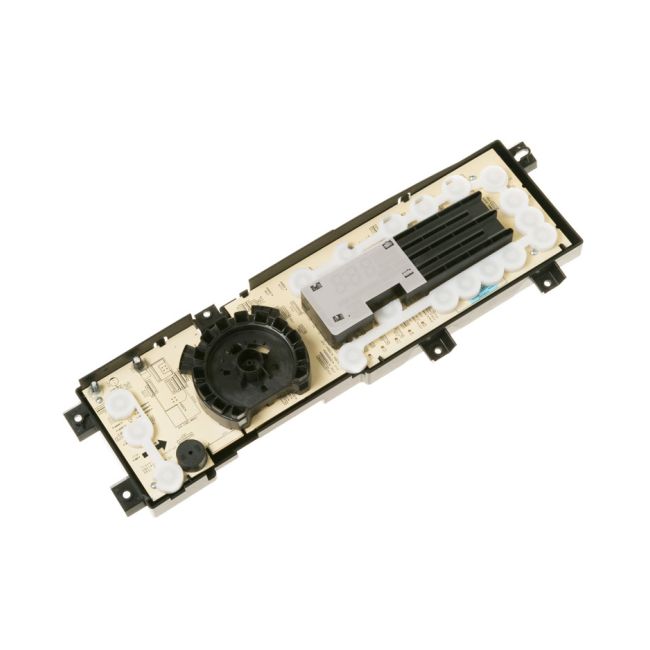
WH12X25837 General Electric Washing Machine Control Board Assembly
Availability:
In stock
Available to ship from factory 4-8 business days
General Electric
MFG Number
WH12X25837
Manufactured BY:
General Electric
This manufacture part number # WH12X25837 replaces our competitor’s part numbers: AP6035344, WH12X23219, PS11767501, WH12X10588, WH12X20505, WH12X21674, WH12X25776, B0721DMKTK, 4467250, WH12X10608, WH12X10607.
Special Price
$189.99
Regular Price
$396.99
(52% off)
Washing Machine Control Board Assembly
GE offers products under the Hotpoint, General Electric, and Sears-Kenmore brands. This specific OEM part is a washer user interface board assembly, which serves as the main control board for managing the washer's functions. Over time, this component may fail due to extensive use. Indicators of a faulty interface board include the washer not powering on or unresponsive buttons.
To replace the interface board, first ensure the washer is completely powered off by either unplugging it or switching off the circuit breaker. Next, remove the control panel using a flathead screwdriver or putty knife. Carefully lift the panel to release it from its mounting tabs. Locate the user interface board assembly and unscrew it from the control panel. Replace the old board with the new one and reattach the control panel.
This genuine replacement part is directly sourced from the manufacturer and is sold individually. It is designed to be compatible with appliances from General Electric, Hotpoint, and RCA.
GE offers products under the Hotpoint, General Electric, and Sears-Kenmore brands. This specific OEM part is a washer user interface board assembly, which serves as the main control board for managing the washer's functions. Over time, this component may fail due to extensive use. Indicators of a faulty interface board include the washer not powering on or unresponsive buttons.
To replace the interface board, first ensure the washer is completely powered off by either unplugging it or switching off the circuit breaker. Next, remove the control panel using a flathead screwdriver or putty knife. Carefully lift the panel to release it from its mounting tabs. Locate the user interface board assembly and unscrew it from the control panel. Replace the old board with the new one and reattach the control panel.
This genuine replacement part is directly sourced from the manufacturer and is sold individually. It is designed to be compatible with appliances from General Electric, Hotpoint, and RCA.
Write Your Own Review

DA82-02638A Samsung Refrigerator Ice Maker Service Kit
Special Price
$270.99
Regular Price
$345.00
(21% off)