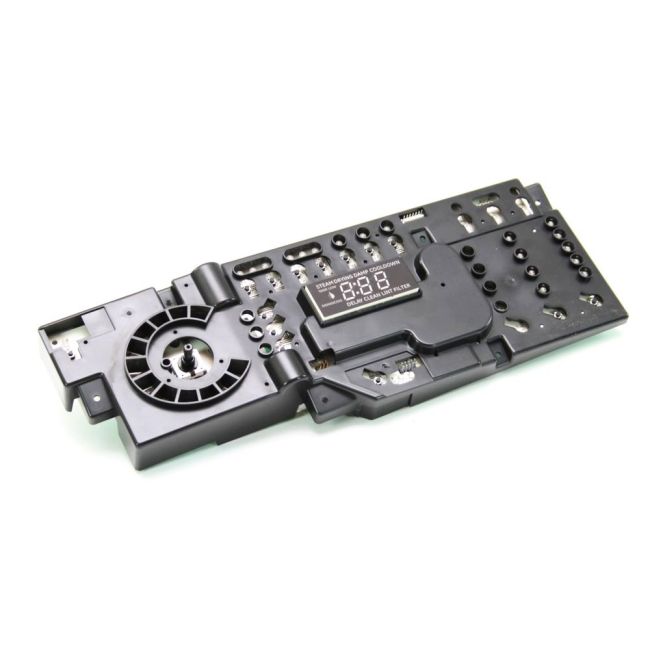
WE4M513 General Electric Dryer User Interface Board Assembly
Availability:
In stock
In stock items are shipped the same day on all orders made before 4 PM Eastern Time. Orders made after 4 PM Eastern Time, Weekend or a Holiday will ship the following business day.
General Electric
MFG Number
WE4M513
Manufactured BY:
General Electric
This manufacture part number # WE4M513 replaces our competitor’s part numbers: AP4980906, 1811217, AH3487199, EA3487199, PS3487199, WE4M514, B0081E9YP4.
Special Price
$252.99
Regular Price
$354.99
(29% off)
Dryer User Interface Board Assembly.
This item is an authentic replacement user interface board for dryers, compatible with General Electric, Hotpoint, RCA, and Sears-Kenmore brands. The user interface board functions as the central circuit board that interacts with the control panel's buttons, enabling adjustments to the dryer's settings. If pressing the buttons on your dryer has no effect, it may indicate a need for a replacement of the interface board. Fortunately, this repair is straightforward.
To install the new interface board, start by disconnecting the dryer's power supply. Next, pull the dryer away from the wall to access the back upper panel. Remove this panel to reveal the interface board. Carefully detach the board from its brackets and disconnect the wire harness. Connect the wire harness to the new board, secure it back into the brackets, and replace the panel.
This OEM (Original Equipment Manufacturer) part is available for individual purchase and ensures compatibility with the specified dryer models.
This item is an authentic replacement user interface board for dryers, compatible with General Electric, Hotpoint, RCA, and Sears-Kenmore brands. The user interface board functions as the central circuit board that interacts with the control panel's buttons, enabling adjustments to the dryer's settings. If pressing the buttons on your dryer has no effect, it may indicate a need for a replacement of the interface board. Fortunately, this repair is straightforward.
To install the new interface board, start by disconnecting the dryer's power supply. Next, pull the dryer away from the wall to access the back upper panel. Remove this panel to reveal the interface board. Carefully detach the board from its brackets and disconnect the wire harness. Connect the wire harness to the new board, secure it back into the brackets, and replace the panel.
This OEM (Original Equipment Manufacturer) part is available for individual purchase and ensures compatibility with the specified dryer models.
Write Your Own Review
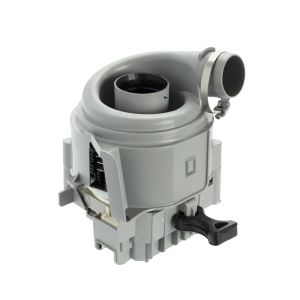
12008381 Bosch Dishwasher Circulation Pump & Heater Kit
Special Price
$105.99
Regular Price
$126.99
(17% off)